

DriftMaester Makes Maester Easy to Install and Watches Your Score Drift
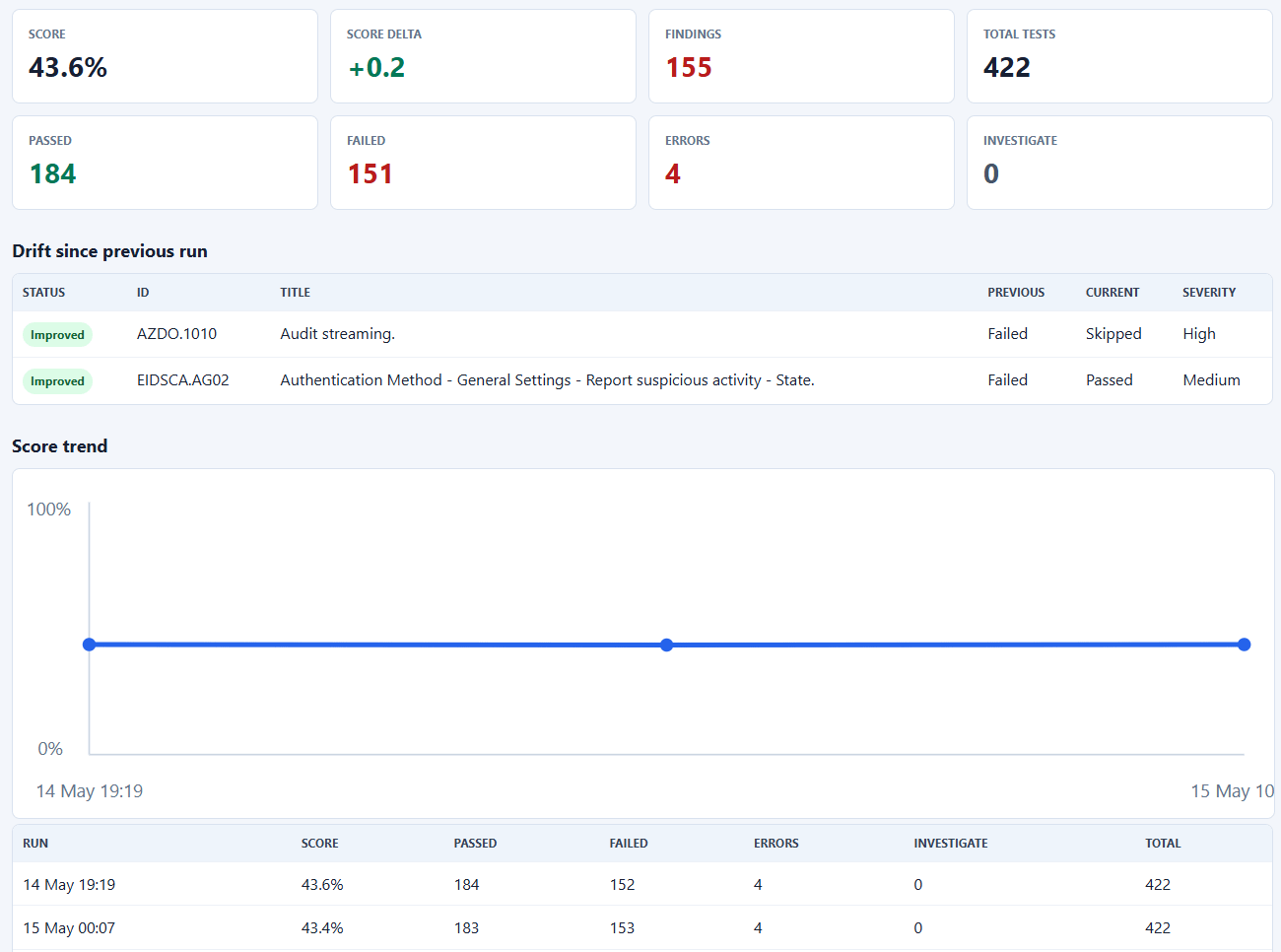
Jos Lieben spent his holiday weekend solving the two biggest things holding back wider Maester adoption, the painful installation process and the lack of visibility into remediation progress as new tests get added. DriftMaester gives you a fully automatic install that runs entirely in your own tenant using a single Azure automation account and a single storage account that the installer creates for you. It uses managed identity for all access so there are no secrets to rotate or expose, it updates both the tests and the module automatically, and it emails you when your security score drifts. If you have wanted to run Maester but bounced off the setup, this is the on ramp.
https://github.com/jflieben/DriftMaester
PingCastle vs PSGuerrilla: A Check by Check Comparison From the Person Who Wrote One of Them
I finally wrote up the comparison people have been asking me for since I started shipping PSGuerrilla. PingCastle is excellent software and I still tell every K12 director I know to run it, so this is not a takedown. It is an honest look at where the two tools overlap on the Active Directory side and where PSGuerrilla goes deeper, things like the modern ADCS escalation paths from ESC9 through ESC16, offline NTDS password auditing against HaveIBeenPwned, logon script body parsing, NTLM relay preconditions, and the Tier Zero hygiene checks that catch service accounts with DCSync rights hiding in plain sight. I also get into why I built it under a license that lets consultants, MSSPs, and pen testers use it commercially without per domain pricing, because the asymmetric defenders working in resource constrained environments are exactly the people who get priced out of good tooling. If you run AD, run both. If you want the cloud identity audit across Entra, Intune, M365, and Google Workspace for free, that part stops being a comparison pretty quickly.
PingCastle vs. PSGuerrilla

A couple of years ago I was driving to work listening to PDQ’s PowerShell Podcast, hosted by the one and only Andrew Pla, and Spencer Alessi was on talking about Active Directory security tooling. He brought up PingCastle. I had not used it. I downloaded it that afternoon, ran it against our domain, and within the hour I had a list of findings I had not…
psign Brings Portable Code Signing to Every Platform
Marc-André Moreau over at Devolutions just dropped psign, and it solves a problem that has annoyed me for years. Code signing has always meant keeping a Windows box around just to run signtool.exe, but psign lets you sign from Linux, handles every file format and signing method, and works with Azure Key Vault for the actual key material. You can grab the prebuilt Rust executables from GitHub Releases or install it as a dotnet tool with a single command. The detail I love is that psign-tool.exe itself is code signed from Linux using an Azure Key Vault, which is about as good a proof of concept as you could ask for.
https://github.com/Devolutions/psign
AutoRest Deprecation Raises Questions for the Microsoft Graph PowerShell SDK
Tony Redmond flagged something in his latest automation update that belongs on the radar of anyone who depends on the Microsoft Graph PowerShell SDK. Back in February Microsoft quietly posted a deprecation and retirement notice for the AutoRest utility, which is the tool deeply embedded in the pipeline that generates the SDK from the OpenAPI documentation for the Graph APIs. Most of us, Tony included, missed the notice when it first went up. He walks through what AutoRest actually does in that generation process and what its retirement could mean for the future cadence and stability of the SDK we all build automation on top of. The new V2.37 release looks stable so far, but this is a thread worth keeping an eye on.
https://office365itpros.com/2026/05/20/automating-microsoft-365-ps24/
GPT-5.5 Instant Lands in Microsoft 365 Copilot
Microsoft brought OpenAI’s GPT-5.5 Instant into Microsoft 365 Copilot and Copilot Studio, replacing GPT-5.3 Instant as the quick response model across Word, Excel, Outlook, Teams, and the rest of the suite. The pitch is more accurate and concise answers with better image analysis and stronger performance on STEM tasks, plus less of the back and forth and follow up questions that made earlier models tedious. In Copilot Chat it shows up as GPT-5.5 Quick response in the model selector, and licensed users get priority access. For agent makers it is rolling out in Copilot Studio as GPT-5.5 Chat and is available in Foundry. Nothing in your ribbon changed, the model under the hood just got better.
Detecting Orphaned Azure Resources at Scale with KQL and PowerShell
This is a genuinely useful walkthrough on hunting down the orphaned resources quietly draining your Azure bill, the unattached disks, the NSGs associated with nothing, the app service plans with no apps deployed, and the load balancers with no backend pools. The clever framing is that instead of asking what is being used, you ask what is not connected to anything, which turns this into one of the easier cleanup wins out there. The presenter credits Dolev Shor’s excellent orphaned resources workbook for the underlying KQL, then shows how to lift those queries into PowerShell, query Azure Resource Graph across the whole tenant, and tie every finding back to a resource owner tag so the right person gets the email about their own mess rather than you chasing it down. The payoff is a scheduled runbook in an Azure automation account that mails each owner an HTML report with clickable links straight to the resource and the specific issue flagged in red. When they ran it in their own environment they turned up enough forgotten disks to save tens of thousands of dollars a year.
Block Microsoft 365 Apps Using Conditional Access, and How to Script It
Prajwal Desai has a clean walkthrough of building a Conditional Access policy in Entra to block Microsoft 365 apps on unmanaged or BYOD devices, complete with the report only testing approach and the break glass account exclusions you should never skip. His guide lives entirely in the portal, so here is the PowerShell angle for those of us who would rather not click through seven blades. The Microsoft Graph PowerShell SDK exposes the whole thing through New-MgIdentityConditionalAccessPolicy, where you define the conditions, the included and excluded users, the target apps, the device platforms, and the grant control as a structured object. The smart move is to create the policy with its state set to enabledForReportingButNotEnforced first, confirm the blast radius in the sign in logs, and then flip it to enabled once you trust it. Same logic Prajwal describes in the GUI, just version controlled and repeatable.
https://www.prajwaldesai.com/block-microsoft-365-apps-using-conditional-access-policy/
IntuneAutomation Ships a Free AI PowerShell Script Generator
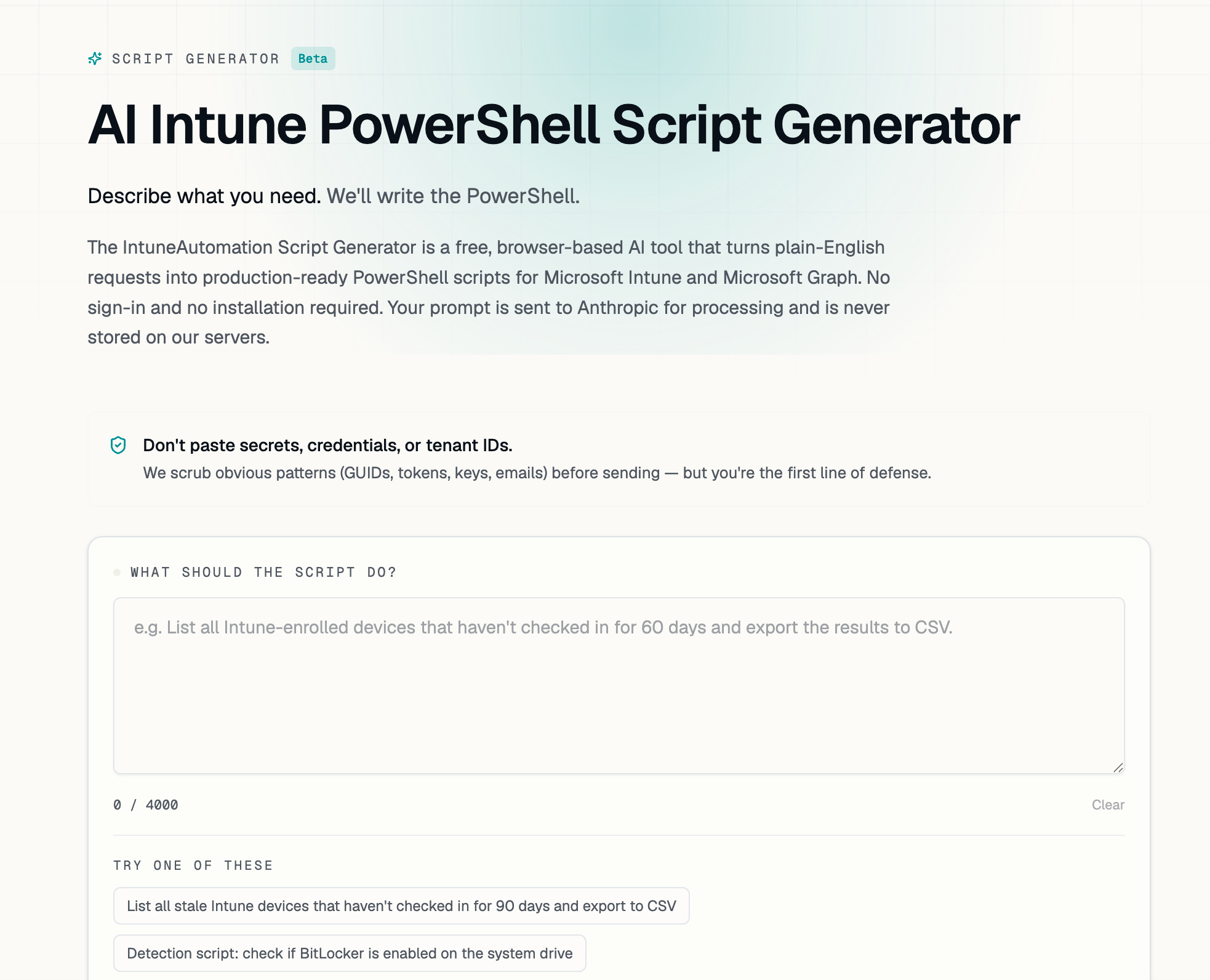
Ugur Koc added a script generator to IntuneAutomation that turns plain English requests into production ready PowerShell for Intune and Microsoft Graph, and it is genuinely thoughtful about the things that usually make AI generated scripts dangerous. Every script runs through six checks covering metadata, real Graph permission scopes validated against the official list, security and injection risks, runtime correctness, destructive operation safety that enforces SupportsShouldProcess on anything that wipes or deletes, and validation of every Graph endpoint against the published catalog. It needs no sign in, does not store your prompts, and scrubs obvious secrets before sending. It also happens to run on Claude, which gave me a chuckle given how I assemble this newsletter. Free with a daily limit, and a solid starting point even if you plan to harden the output yourself.
https://www.intuneautomation.com/generator/
Microsoft.Online.SharePoint.PowerShell 16.0.27215.12001 Released
Tony Schultz at the Icewolf blog notes that Microsoft shipped a new build of the SharePoint Online Management Shell. His writeup doubles as a good reminder to move to the modern PSResourceGet cmdlets like Get-InstalledPSResource and Find-PSResource instead of the older PowerShellGet commands when you check versions and update. He also raised a real question about uninstall problems that may be tied to CurrentUser scope getting redirected to OneDrive, so if you have run into that yourself, he is looking for confirmation.
PowerShell After Dark: OnRamp, IoT, and Finding Your People
Andrew Pla took his mic to the hotel bar at the PowerShell and DevOps Global Summit for an After Dark episode of the PowerShell Podcast, and it is the kind of conversation that reminds you the community side of PowerShell matters as much as the syntax. He sits down with four attendees, starting with Josh Gratton, a 2026 OnRamp scholarship recipient who went from fifteen years in another field to the service desk to a systems engineering role on the strength of PowerShell automation, and who left Bellevue already planning to speak at a future Summit. From there it is Mark Go on his IoT and hardware work, Craig Mileham soaking up his first Summit while running MSP support in higher ed, and Matt Zaske, the Home Assistant and soldering enthusiast who ran a lightning demo and blogs over at mzonline.com. The thread Andrew keeps pulling on across all four is worth hearing if you have been lurking on the sidelines. Beginners belong here, reaching out is the move, and the distance between an online community and your people closes fast once you are in the same room.
MicrosoftPlaces PowerShell Module 2.1.7
Also from Tony Schultz this week, MicrosoftPlaces 2.1.7 is out. The headline change is a new IsAutoGenerated property exposed on Get-PlaceV3 so you can tell whether a place object was auto created by Microsoft rather than defined by an administrator. If you are managing Places for room and desk booking, this is a small but useful addition for cleaning up and auditing your place data. You will need Exchange or Places administrator rights to connect and pull the configuration.
Merill Fernando Launches a Weekly Microsoft AI Roundup
Merill Fernando, the person behind entra.news and the Maester project, just launched a new weekly newsletter called Merill’s Weekly Microsoft AI Roundup. It covers the most important updates across Microsoft 365 Copilot, GitHub Copilot, Azure AI Foundry, Copilot Studio, Security Copilot, Fabric, Microsoft Agent 365, and the wider community, which is a lot of ground that has been genuinely hard to track in one place. If you already lean on entra.news to keep up with identity, this is the same treatment for the AI side of the ecosystem. Worth a subscribe while it is still early.

Winget Inside Intune Remediation Scripts with David Sass
This PSConfEU session from David Sass is making the rounds again, and for good reason. He shows how to build smarter Intune remediation scripts powered by Winget so you can deploy and update software across your fleet without paying for extra add ons. He covers capturing logs and telemetry with Application Insights, troubleshooting execution with proper output and exit codes, and the real world lessons from running this in a hardened enterprise environment. If you have been justifying paid app management tooling to your budget holders, this one might change the conversation.
Events & Groups
PowerShell Conference Europe 2026
The big one is just around the corner, June 1 to 4 in Wiesbaden, Germany. Heads up that ticket prices already moved to 1,950 euros as of May 11 with the event entering its final logistics phase, so if you have been sitting on the fence, the cost only climbs from here.
https://psconf.eu/
PowerShell Ohio User Group Launches
Stephen Valdinger, Ryan Richter, and fellow MVP Jake Hildreth have teamed up to launch PowerShell Ohio, a new user group for the PowerShell curious, the enthusiasts, and the seasoned pros to learn, laugh, and build community around automation. The site and Meetup page are live now, and they are working out the logistics for a first meeting. Join the Meetup to get notified once they start scheduling.
https://psoh.io/